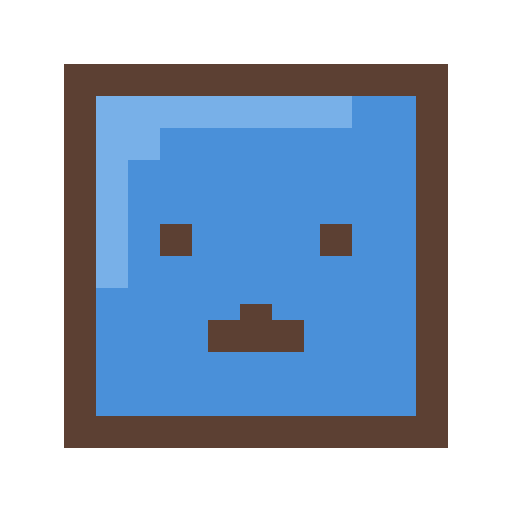
Square Avatar for PFP: The Ultimate Discord & Social Media Image Guide (2026)
In the digital age, your Discord PFP is your handshake, your business card, and your fashion statement all rolled into one. Whether you are navigating a bustling NFT community, a gaming guild, or just hanging out with friends, your profile picture is the first thing people see. In this guide, we’ll explore why a square profile picture made of pixel art is the superior choice for modern platforms like Twitter, TikTok, and Discord.
Mastering Your Discord PFP Size
When creating a Discord PFP, you need to think about clarity. A Discord PFP is often seen in small sizes. Our generator handles Discord PFP creation by focusing on bold lines. Every Discord PFP you make here is optimized for the platform.
As we move further into 2026, the Discord PFP remains the gold standard of digital identity. If you want a Discord PFP that people remember, pixel art is the answer. We help you build a Discord PFP that stands out in the server list.
Mastering Platform Sizes: Discord, Twitter, and TikTok
Every platform has its nuances. Understanding these can mean the difference between a crisp Twitter avatar and a blocky mess.
1. Discord Profile Picture Guide
Discord uses a circular crop for avatars in most views, but a square format when someone clicks your profile. This is where square profile pictures truly shine. Our characters are designed with a "safe zone" in mind—their distinct square heads sit perfectly within the Discord circle while the corners provide extra flair in the full profile view.
- Recommended Size: 512x512 pixels.
- Format: PNG (for transparency) or JPG.
- Tip: Use vibrant hair colors to make your icon pop against Discord's dark mode.
2. Twitter (X) Avatar Standards
Twitter has shifted its focus towards "verified" shapes, but for the average user, the Twitter profile picture remains circular. However, for organizations and businesses, the square avatar is back! Regardless of your status, a square avatar for PFP use on Twitter ensures that your branding remains consistent across the platform's diverse UI.
- Recommended Size: 400x400 pixels.
- Format: PNG.
- Tip: Keep the background high-contrast. A bright blue or yellow background behind a pixel face looks incredible on a mobile feed.
3. TikTok & Instagram Styles
On video-centric platforms, your cute square avatar needs to be expressive. The Square Face Generator allows for hundreds of eye and mouth combinations, letting you find a look that matches the vibe of your content. Since these platforms favor "Aesthetic" looks, try using our pastel skin tones and unique accessories to stand out.
Why "Square" is the Best Shape for a Discord PFP
The term square profile picture is often synonymous with a high-quality Discord PFP. By basing every Discord PFP on a square head, we ensure maximum visibility. In a Discord PFP, filling the circle is key. This makes your Discord PFP appear larger.
Additionally, a Discord PFP using our square style symbolises stability. When you upload your Discord PFP, you want it to look professional. This Discord PFP balance is perfect for anyone building a brand.
Start Building Your Discord Identity
Don't settle for a boring default avatar. Use our pixel art PFP maker to stand out.
How to Create an Aesthetic Pixel PFP in 3 Steps
Creating a high-quality pixel art PFP doesn't requires hours of editing. Here is our recommended workflow:
- Step 1: Define Your Base - Choose a skin tone and hair style that resonates with you. For a cute square avatar, try the larger, sparkling eye options.
- Step 2: Add Character - Use glasses, hats, or unique facial markings to add "lore" to your character. A scar or a specific earring can make your Discord PFP memorable.
- Step 3: Export & Upload - Always download the 512px or 1024px version. While some platforms scale it down, starting with a high-resolution file prevents artifacts and ensures your Twitter profile picture looks professional.
Common Questions About Social Media PFPs
Can I change my avatar later?
Of course! Our generator is completely free. Many users like to change their Discord PFP seasonally or whenever they get a new hair style in real life.
Will a 1:1 image work on my circular profile?
Yes. All modern social media apps (Twitter, Discord, Instagram) are built to accept 1:1 (square) images and auto-crop them. Our generator is optimized to ensure the face stays perfectly in the center.
Why should I use a pixel avatar instead of a photo?
Privacy and style. A pixel art PFP allows you to express yourself without compromising your privacy. Plus, it's just much cooler.
Final Thoughts
Your journey to the perfect Discord PFP ends here. By leveraging the power of pixel art and the simplicity of the Square Face Generator, you can create a square avatar for PFP use that is both timeless and trendy. Join the thousands of users who have traded their boring photos for vibrant, customizable pixel faces.